Churchfield
A maintainable website design system for local churches, with Google Workspace integration. Its first implementation, for St Leonard’s in Upton St Leonards, is live as a public preview.
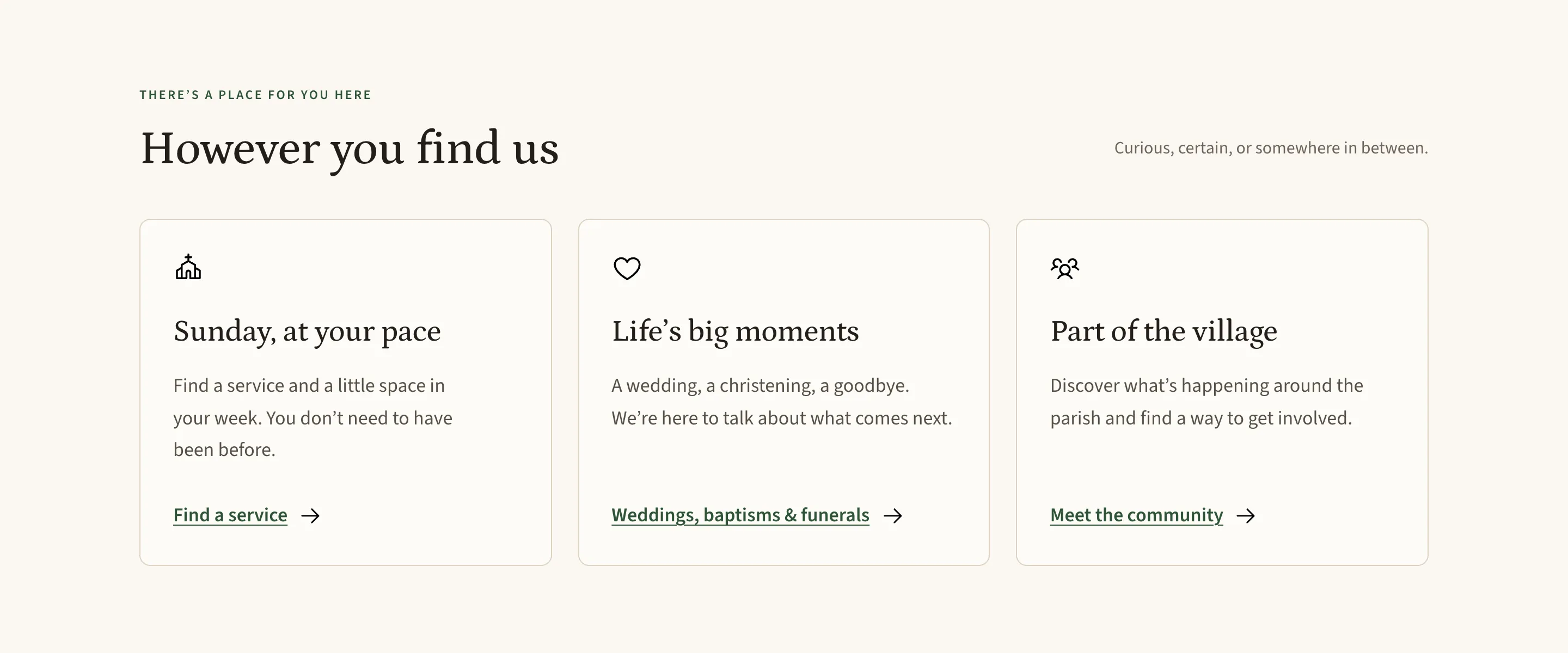
Churchfield starts with a straightforward question: how can a local church have a welcoming, useful website that stays manageable after the person who built it moves on?
It brings together a design system and a practical website implementation. St Leonard’s, in the Gloucestershire village of Upton St Leonards, is its first use. The name comes from Churchfield Road, where the church stands.
The problem is maintenance, not design
Most parish websites are not badly designed. They are abandoned. A volunteer builds something capable, then steps down, moves away, or simply runs out of evenings. What remains is a site nobody feels able to change: service times that were right two years ago, a contact address for a postholder who left, and a rota nobody can find the login for.
That failure mode shapes every decision here. The question is not what a church website should look like on launch day. It is what it should look like in three years, maintained by whoever is willing.
So the constraints came first. No budget for a licensed content system. No developer on call. Maintainers who are volunteers, not web editors. A safeguarding duty that has to be visible and correct on every page, not filed under About. And a real obligation to be accurate: a wrong service time sends someone to a cold, locked church.
A welcome before the first visit
The site needs to work for someone who has never been to a service as well as someone who has attended for years. That means clear language, familiar navigation, and room for the questions a regular visitor might no longer think to ask.
The first-visit page answers them plainly — what to wear, whether you have to join in, whether you have to give money, what to do about children, who to ask about an access requirement. Each answer is short and unembarrassed. A first visit is a small act of courage, and the interface should not add to it.
Churchfield uses warm neutrals, green accents, generous spacing, and a serif for headings paired with a readable sans serif for longer text. The interface puts practical information first: visiting, services, community activities, and the important moments in people’s lives.
The design system records those choices in tokens, reusable components, and usage guidance. They provide a consistent starting point for future pages and changes, rather than requiring every maintainer to rediscover the design.
Built to be maintained
The implementation uses Astro and TypeScript, with static pages served by Cloudflare. Most content lives in Markdown. Contact details are kept as role records, so a change of postholder is one edit in one place rather than a search across the site.
The design and implementation account for keyboard navigation, small screens, readable text, and reduced motion. The church’s mobile navigation uses a native disclosure element, so visitors can still navigate without JavaScript.
Safeguarding is treated as structure rather than a page. A contact line for the diocesan team sits above the content on every route, and the homepage carries the fuller set — the parish safeguarding officer, the diocesan team, the out-of-hours service, and the instruction to call 999 if someone is in immediate danger. It is not something a visitor should have to navigate towards.
There is also a published route for corrections. Anyone who spots something wrong can email the address on the site with the page and a short description. A website that expects to be corrected stays accurate for longer than one that does not.
Those decisions are part of the product. A useful website needs a manageable way to keep its information accurate.
Working with Google Workspace
Services and events are designed to come from two public Google Calendars. Staff can manage recurring events in the calendar tools they already use, without editing website code or waiting for a rebuild.
The calendar integration is implemented, including caching and a fallback for when information is unavailable. Connecting the parish’s calendars and credentials is still part of launch preparation, so the fallback is what the live site shows today: the diary says it cannot display dates just now and points the reader to the newsletter or the parish, rather than showing an empty week that reads as “nothing is happening here”.
The site does not substitute invented service times when the feed cannot be read. That is the point of the fallback, and it is worth being direct about why. A plausible guess is worse than an honest gap, because a visitor cannot tell the difference until they are standing outside a locked door. The usual monthly pattern is published as a guide, clearly marked as one, with the dated diary taking precedence.
Newsletter publishing
Newsletter publishing is implemented and in use. A protected staff page accepts a PDF, and Cloudflare R2 stores the dated archive. Cloudflare Access controls entry to the publishing area. This keeps routine updates separate from changes to the site itself.
The Welcome edition of Pew News is published through it, in two versions: a colour edition for reading on screen and a black-and-white one that prints cleanly on a single sheet. The full text is also on the page, so the newsletter is readable without downloading anything. A parish newsletter is often passed between hands rather than clicked, and printing well is a real requirement rather than an afterthought.
First implementation: St Leonard’s
The St Leonard’s website is live at stleonards.org.uk as a public preview. Every page carries a notice that content is being checked, and asks visitors to confirm details with the parish.
That is an accurate description of where it is. The structure, components, and integrations are built and working. Parish content, contacts, some photography, and the final calendar configuration are still being reviewed and completed by the church. Publishing it in this state, with the caveat visible, is deliberate: it lets the parish read the site as visitors will, on their own phones, rather than in a review tool.
So this is not a claim that the project has launched, or that its impact has been measured. It is a working implementation you can open and navigate, with the parish’s own checking still in progress.
What comes next
The remaining work is the parish’s content review, connecting the calendars, and removing the preview notice.
After that, I plan to open-source Churchfield so other churches can use and adapt it. St Leonard’s is the first practical example, and the next step is to separate reusable guidance and components from parish-specific content and configuration. A design system that has only ever been used once is a hypothesis, not a system; the second implementation is what will test it.
That release is still ahead. For now, this is a record of the design and implementation as they develop.
If you’re working on a similar project, I’d be glad to compare notes.